


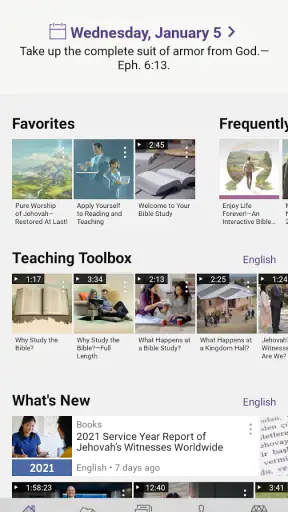
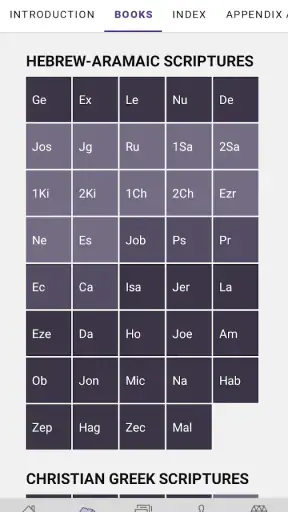
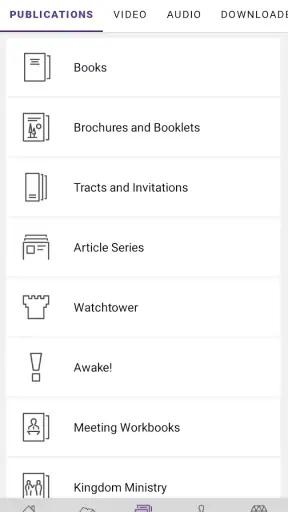
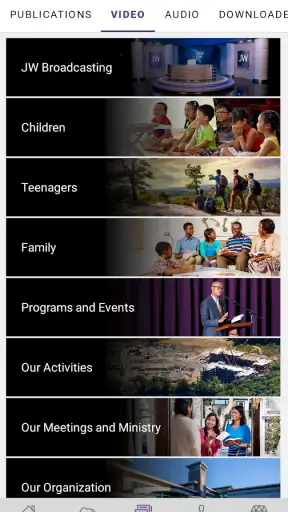
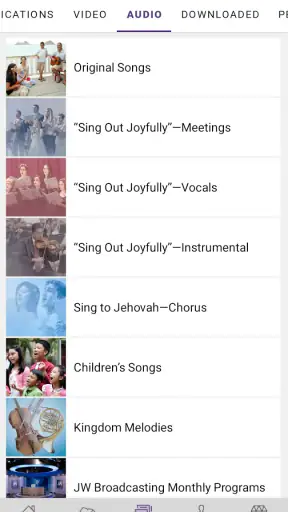
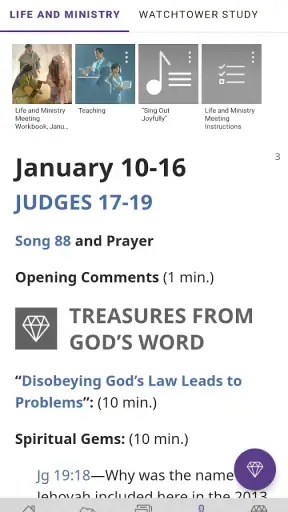
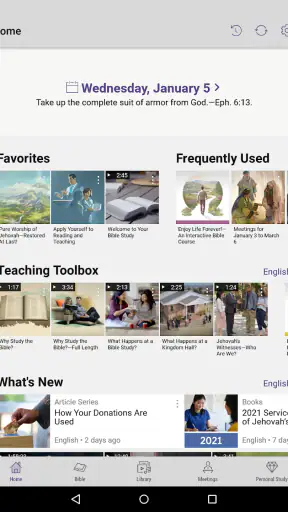
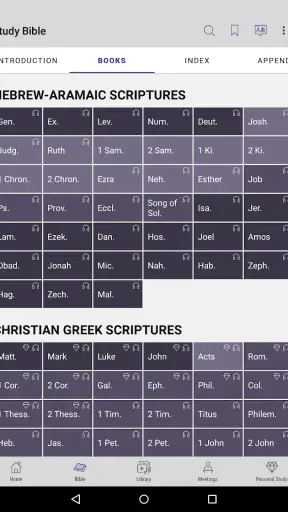
I opened JW Library expecting a straightforward Bible-reading app, but its real value became clearer when I used it as a complete reading and study workspace. It brings the Bible together with additional publications and study material, and it is designed for people who want to move from finding a passage to understanding, comparing, and revisiting it without constantly switching between separate apps. As a free Books & Reference app from Jehovah's Witnesses, it is especially focused rather than general-purpose.
That focus is both its strongest quality and its main limitation. If you want a broad digital library with many unrelated religious traditions, academic commentaries, or a neutral reference collection, this will not be the best fit. If your reading is centered on the Bible and the material published by Jehovah's Witnesses, however, the app feels much more useful than a basic text viewer. I found that the most important question is not whether it can display scripture, but whether its connected study workflow matches the way you actually read.
From a reading question to a finished study session
The starting point: choosing what I need
A typical session begins with a simple need: I may want to read a chapter, look up a familiar verse, prepare for a meeting, or investigate a subject that came up during a conversation. JW Library handles these starting points differently from a plain e-book reader because the surrounding publications are part of the experience. I can begin with the Bible, a publication, a search, or a saved item rather than treating every document as an isolated file.
The app supports content in over 1,000 languages, which is a meaningful advantage for multilingual households, language learners, and readers who prefer scripture in a language other than the one used for everyday phone settings. The practical benefit is not simply having a large language menu. It is being able to make the reading experience fit the person using the device, especially when different family members need different language resources.
That breadth also creates an early decision point. Installing the app is easy because it is free and rated for Everyone, but deciding which language content to keep available requires a little thought. I would start with the language I read most often, then add another only when I have a clear reason, such as comparing wording or helping someone follow along. Keeping the setup deliberate makes the library easier to navigate later.
Step one: finding the passage or topic
When I know the reference, opening the Bible and moving to the book and chapter is the most direct route. When I remember only a phrase or subject, search is more useful. This distinction matters in daily use: a reader who searches by exact reference can stay focused, while someone preparing a discussion may need to begin with a concept and then follow the relevant material outward.
I found it helpful to treat search as the input stage rather than the whole study method. A result gives me a place to start, but the surrounding context still deserves attention. Reading only the highlighted line can make the app feel like a quotation finder. Reading the nearby verses and then checking related material turns it into a more deliberate research tool.
One less obvious workflow is to search first in the Bible and then use the result as a bridge into other content. That prevents me from opening a publication at random and losing track of the question I started with. It also makes the final outcome clearer: I am not merely collecting passages, but building an answer or a personal note around a specific starting point.
Step two: moving from text to study material
The transition from scripture to supporting content is where the app separates itself from ordinary Bible readers. Instead of copying a reference into a browser and sorting through unrelated pages, I can continue within the same focused environment. The handoff is smoother because the Bible text remains the anchor while publications provide additional explanation, examples, or context.
This is particularly useful when I am preparing for a congregation activity or a personal study session. I can read the passage, inspect the related material, and return to the original text without rebuilding the trail from memory. The process feels less like browsing a website and more like following a prepared shelf of connected resources.
Still, the app does not remove the need for judgment. More material is not automatically better material. I try to define the question before opening several publications, otherwise the convenient internal links can lead to a long reading session with no clear conclusion. A useful habit is to write down the question in my own words, find the primary passage, and consult only the supporting items that help answer that question.
Step three: comparing languages and perspectives
The multilingual support becomes more valuable during comparison than during ordinary reading. A person who speaks two languages can check how a verse reads in each one, while a family can follow the same material even when members are more comfortable in different languages. This is a practical handoff: the person doing the preparation can share the reference, and the listener can read it in a preferred language.
I would not use this feature as a substitute for learning a language or for making a formal translation judgment. Wording differences can be subtle, and comparing two renderings may raise new questions rather than settle them. Its strength is accessibility and discussion, not pretending that every language comparison is a complete scholarly analysis.
Step four: building a reusable personal workflow
A study session becomes more valuable when I can return to it later. I use the app's reading environment to keep my place, revisit material, and organize the items that matter to me. The exact arrangement will depend on how much content I use, but the general principle is simple: save only what I expect to use again. An overloaded collection becomes harder to manage than a smaller, intentional one.
For recurring preparation, I would create a routine rather than relying on last-minute searches. First I locate the assigned or relevant passage, then I read enough context to understand the thought, then I consult the related publication, and finally I return to the passage for a short personal summary. That last return is important. It turns research into an outcome instead of leaving me with a pile of open pages.
A useful tip is to separate “reference for later” from “material for this session.” If everything is treated as equally important, the app can become visually and mentally crowded. I get better results when I keep the current study path narrow and save only the resources that genuinely deserve another visit.
The handoff from private study to shared discussion
JW Library works well when the person who prepares material is not the only person who will read it. A parent can locate a passage before a family discussion, a student can follow along with a selected publication, and a multilingual group can use the same reference while reading in different languages. The app therefore acts as a handoff point between individual preparation and shared conversation.
That handoff is strongest when I share a precise reference rather than telling someone to “look through the app.” A clear book, chapter, verse, or publication title gives the other person a defined destination. The app supplies the library, but the human organizer still needs to provide direction.
This is also where a phone's small screen can become a weakness. For a quick exchange, it is fine. For a long family study or a group discussion, passing one phone around is awkward, and reading dense material on a compact display can be tiring. In those situations, a larger device or a printed resource may offer a better shared experience even if the app remains the best preparation tool.
A realistic everyday scenario
Imagine that I am asked a question about a Bible subject during the day and want to prepare a thoughtful answer in the evening. I begin by searching for the phrase or topic I remember, open the relevant passage, and read the surrounding verses rather than relying on a single line. I then move into related Jehovah's Witnesses material, compare the explanation with the passage, and save the small number of items that will help me explain the point later.
Before the conversation, I return to the original passage and reduce the result to a few ideas in my own words. During the discussion, the other person can open the same reference, and if language is a concern, I can use the multilingual options to make the exchange easier. The outcome is not merely that I found information. I arrived with a traceable path from question to passage to supporting material to a clear explanation.
This workflow is where I think the app earns its place on a phone. It reduces the friction between remembering a subject and preparing something useful, provided I resist the temptation to open every related item. The tool helps with access and continuity; the quality of the final conversation still depends on how carefully I read and explain.
What the app does especially well
The strongest feature is the connection between the Bible and the wider body of content inside the same app. A basic Bible app may offer attractive typography, reading plans, or a large collection of translations, but it may require outside searching for the particular publications a Jehovah's Witness wants to consult. JW Library is more coherent for that audience because the main sources belong together.
Its language reach is another major strength. Many reading apps handle one primary language well and treat other languages as an afterthought. Here, multilingual use is central enough to shape real workflows. That makes it valuable for households, congregations, and readers who switch languages depending on the setting.
The app also feels purpose-built rather than overloaded with unrelated social features. I can focus on reading, searching, studying, and returning to material. For readers who want a quiet reference tool instead of a feed, that restraint is welcome. The high level of user approval, with a 4.8 average from around 1.7 million ratings, reflects how well that focused approach serves its intended audience.
Where the workflow becomes less comfortable
The same specialization that makes the app efficient for its intended readers can make it feel limited to everyone else. Someone looking for comparative theology, historical criticism from many traditions, secular biblical scholarship, or a general e-book collection will probably need another service. This is not a weakness in the narrow sense, but it is an important buying and downloading decision: a focused library should not be judged as though it were a universal reference platform.
Navigation can also feel demanding when the library grows. A reader who downloads material in many languages or saves every interesting item may spend more time deciding what to open than actually reading. My solution is to keep the active language set manageable and treat saved content as a working shelf, not an archive of every possibility.
Another point of friction is the difference between individual and group use. On a personal phone, the app is convenient and private. In a meeting or extended discussion, the small display and the need to move between passages can slow things down. A dedicated larger screen, a printed Bible, or a separate presentation setup may be better for the group while JW Library remains useful for preparation.
Readers who expect a broad set of modern reading conveniences may also prefer a different Bible app. Some alternatives emphasize devotional reminders, social sharing, audio presentation, or extensive cross-denominational study tools. I would choose one of those when the daily goal is habit-building across many traditions. I would choose JW Library when the goal is direct access to the Bible and Jehovah's Witnesses publications in a tightly connected environment.
Practical questions before installing
The app is free, so the decision is mainly about fit rather than cost. It has been available since July 3, 2013, and its scale is substantial, with over 50 million installs. That makes it a well-established option rather than a new experiment. The Everyone age rating also makes it suitable for a wide range of readers, although parents should still guide younger users through the material they choose to read.
It is available as an Android and iOS app, which helps families and study groups that use different phones. I would still set aside a little time after installation to choose languages and decide what content belongs in the active library. The first few minutes of organization pay off later, especially if the device is shared or storage is limited.
If you are wondering whether it can replace a printed Bible, my answer is situational. For searching, carrying multiple languages, and moving between connected publications, the app is more convenient. For extended reading, annotation on paper, or a device-free study period, a printed Bible remains more comfortable for some people. I see them as complementary rather than mutually exclusive.
If you are wondering whether it is suitable for academic research, I would be cautious. It is excellent for studying within its own collection and for following the interpretive framework of Jehovah's Witnesses. It is not the tool I would rely on alone for a broad, independent survey of biblical scholarship. A university assignment or comparative research project would call for additional sources.
The result: a focused library that supports a complete task
After using JW Library as a workflow rather than a simple reader, I came away with a clear impression: its best result is continuity. I can begin with a question, locate a passage, move into related material, compare languages when needed, prepare an explanation, and return to the original text before sharing it. Each handoff is close enough that I spend less time managing sources and more time thinking about what I am reading.
That does not mean every session is effortless. Large collections need organization, group reading may be better on paper or a larger screen, and readers outside the app's religious focus may find the library too narrow. Those are real trade-offs, not reasons to dismiss it. They simply define the audience that will benefit most.
My recommendation is straightforward: install it if your Bible study is connected to Jehovah's Witnesses publications, if multilingual reading matters to you, or if you want a free reference app that supports a path from lookup to preparation. Skip it as your main choice if you want an all-traditions research database, a general e-book reader, or a highly social devotional experience. For the right reader, JW Library is more than a digital Bible: it is a practical study route from a question to a usable answer.


